
Props inspector
Props show what each component actually received: the data and callbacks its parent passed down. They are often the quickest way to explain why a part of the page looks the way it does. See Follow the data for a walkthrough.
Select a component in the tree, the scene, or the page picker. Its Props section reads the current committed React props.
Expand objects, arrays, Map and Set entries, or React children. Filter prop names searches top-level names; Show more reveals additional entries or more of a long string.
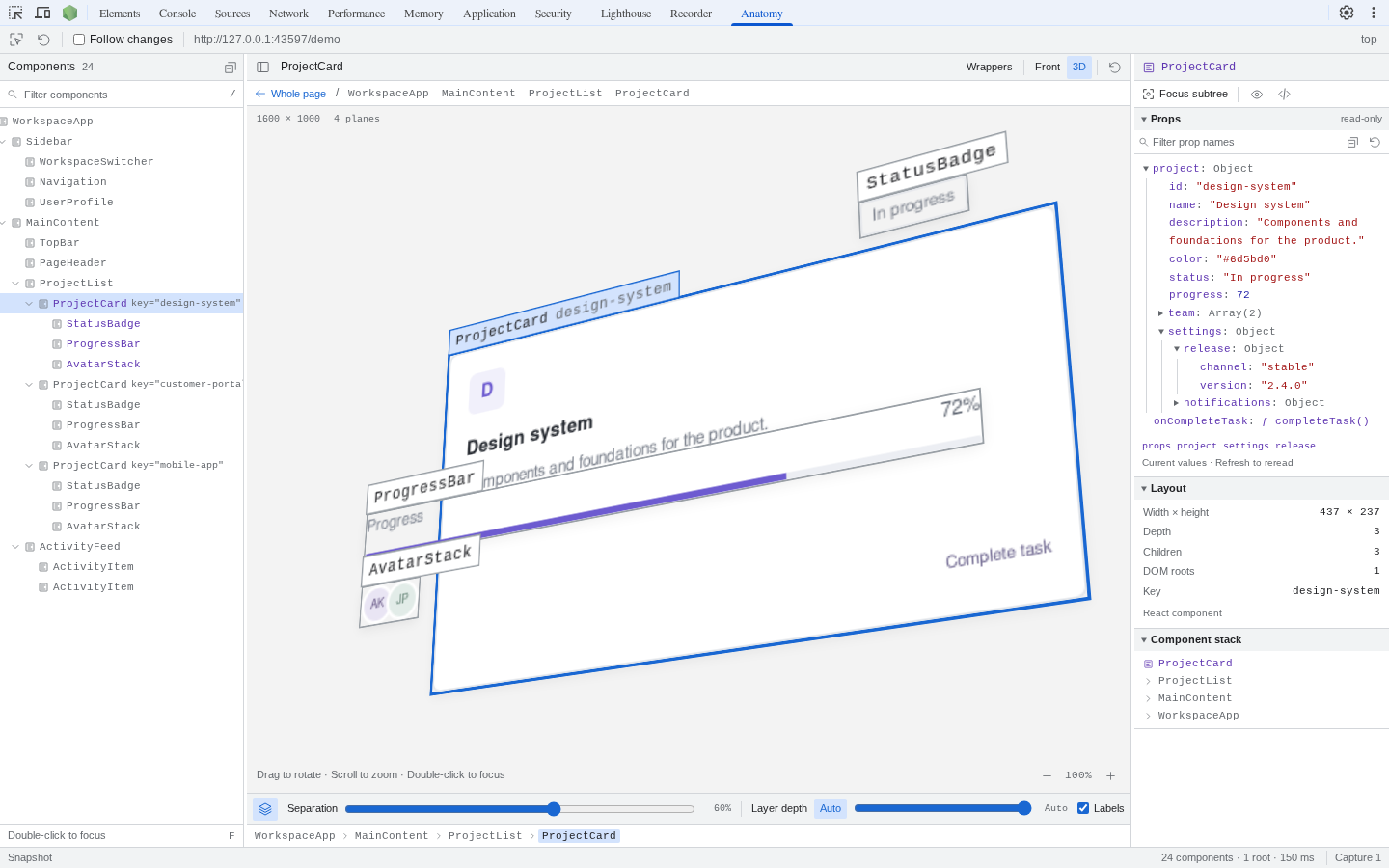
Nested values are read as you expand them. Here, project.settings.release shows the card’s release channel and version. Open the image at full size to read the inspector.
Live values
Section titled “Live values”Props are read as you expand their branches. They are not a historical snapshot of the moment the page was captured.
Use Refresh props to reread values without capturing the whole page. A new capture refreshes the selection’s props and keeps expanded paths. If the props object changes or the component unmounts, the inspector asks you to refresh or recapture.
Read-only inspection
Section titled “Read-only inspection”The inspector does not call getters, callbacks, or toJSON. Accessors are shown as unevaluated getters. Circular references are marked, and values such as undefined, bigint, NaN, and symbols stay distinguishable.
React children show their type, key, and props without traversing React’s private owner graph. App-defined proxies can still execute their own traps during JavaScript reflection.
Bounded requests
Section titled “Bounded requests”Each request returns at most 50 entries or 10,000 string characters. The inspector caps collections at 10,000 entries, strings at 1,000,000 characters, and retained value handles at 5,000 per session. It shows when these limits are reached.
Props stay in the inspected page until requested and are not uploaded to a service.